ComfyNES Parametric Bench (Two-Profile)
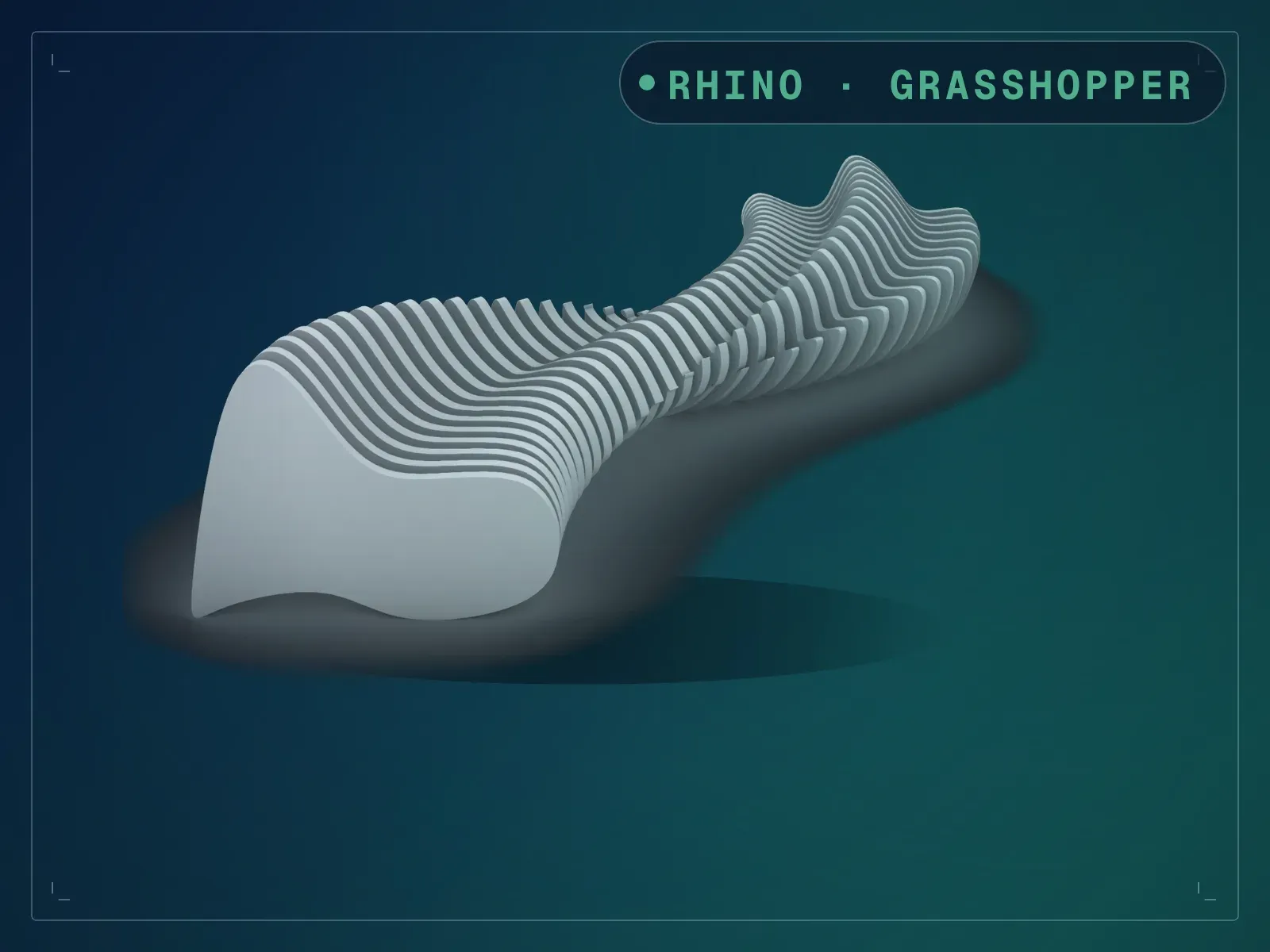
A slatted bench lofted between two profiles along a rail.
Instant download after checkout. All sales final. Digital products are non-refundable.
Doesn't work as described? Email hayder [at] hayderalbeer [dot] com and I'll fix it or send a replacement. No refund needed, just a working tool.
Version 1.0 · Prepared 2026-07
Screens
-
Built in oak on a public plaza -
The same bench in a museum atrium -
A bench from one rail and two profiles -
43 slats and the steel rod through them -
The bench seen end on -
The whole script with the cluster opened up
What it does
Draw a rail and two section profiles, and this builds the bench: the section is swept along the rail, sliced into slats, and threaded on a steel rod. At the settings it ships with you get a bench 2.51 m long, 741 mm deep and 432 mm high, made of 43 slats on one rod. The whole definition is one cluster with nine inputs and two outputs — slats on one, rod on the other — so baking them onto separate layers with their own materials takes no untangling. Three flip toggles are there for the moment a curve was drawn the other way round and the bench comes out inside-out, which is the usual reason a sweep like this fails. Change the rail or either profile and the bench re-forms on it.
What is included
- ComfyNES 2S1R - Parametric Bench.gh — the definition, built around a single cluster with 9 inputs and 2 outputs
- Sample/ComfyNES 2S1R - Parametric Bench - Example File.3dm — required, not optional: the rail and both profiles are referenced from it
- README.md — parameter list, requirements and licence terms
How it works
- 01
Open the included .3dm first, then the .gh — the rail and profiles are referenced from that file.
- 02
Set Number of Sections for the slat spacing, and the two panel values for slat thickness and rod radius.
- 03
If the bench comes out twisted or inverted, try the three flip toggles before touching anything else.
- 04
Draw your own rail and profiles and right-click each input to reference them instead.
- 05
Bake Bench Panels Geometry and Bench Rod Geometry — they come out on separate outputs.
Parameters
The sliders and inputs the tool exposes.
Questions about this product
Do I need eleFront?
No. This listing used to say so and it was wrong. The definition is one cluster; opening it up, all 74 components inside it, and all 21 outside it, resolve to core Grasshopper assemblies — Surface, Curve, Math, Vector and Transform components. There is no third-party component anywhere in the file, so there is nothing to install.
Is the .3dm optional?
No, and this is the one thing worth knowing before you start. The rail and the two profiles are REFERENCED from the .3dm rather than stored inside the .gh. Open the .3dm first. Open the .gh on an empty Rhino document and it will solve to nothing.
Number of Sections is 35 but I count 43 slats.
That is correct behaviour, not a bug. The slider drives the division rather than being the count itself. Measured: 10 gives 13 slats, 20 gives 25, 35 gives 43, 50 gives 61.
The bench comes out twisted or inside-out. What now?
Use the three flip toggles — Flip Curve 1, Flip Curve 2 and Flip Orient Plane. A profile drawn in the opposite direction to the other is the usual cause, and one of those three fixes it without redrawing anything.
What is the difference between this and the three-profile version?
This one lofts between two profiles, one at each end of the rail. The three-profile version adds a middle section, so the bench can change shape along its length rather than only between its ends.